Enter password: Welcome to the MariaDB monitor. Commands end with ; or \g. Your MariaDB connection id is 13 Server version: 10.5.27-MariaDB MariaDB Server Copyright (c) 2000, 2018, Oracle, MariaDB Corporation Ab and others. Type 'help;' or '\h' for help. Type '\c' to clear the current input statement. MariaDB [(none)]>
pharsing : 번역
@ in mariadb
MariaDB [(none)]> show databases; +--------------------+ | Database | +--------------------+ | information_schema | | mysql | | performance_schema | +--------------------+ 3 rows in set (0.000 sec)
@ create,drop 연습 MariaDB [(none)]> create database Teacher; MariaDB [(none)]> show databases; MariaDB [(none)]> drop database Teacher;
@ table 생성 MariaDB [(none)]> create database School;
MariaDB [(none)]> use School; Database changed
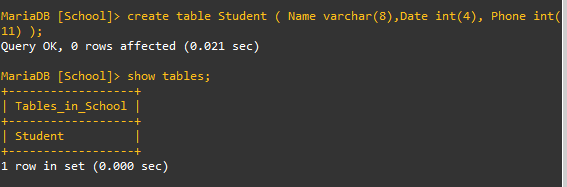
MariaDB [School]> show tables; Empty set (0.000 sec)
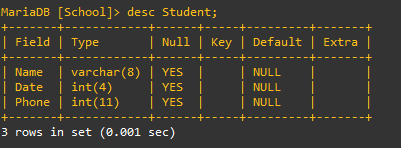
@ Alter table MariaDB [School]> alter table Student add Address varchar(20);
@ Date 필드 앞에 생성하기 MariaDB [School]> alter table Student add Age int(3) after Date;
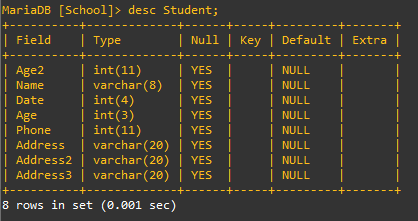
@ Age2 필드를 첫번째 필드로 생성하기 MariaDB [School]> alter table Student add Age2 int first;
@ Address2, Address3 여러 필드를 생성하기 MariaDB [School]> alter table Student add ( Address2 varchar(20) , Address3 varchar(20) );
@ after . first 연습
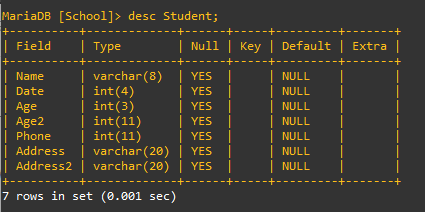
MariaDB [School]> alter table Student modify Name varchar(8) first; MariaDB [School]> alter table Student modify Age2 int after Age; MariaDB [School]> alter table Student drop Address3;
@ change로 필드명. 타입 변경하기 MariaDB [School]> alter table Student change Age2 Age2 varchar(8);
@ Age2, Address2 삭제 MariaDB [School]> alter table Student drop Age2; MariaDB [School]> alter table Student drop Address2;
MariaDB [School]> update Student set Date = 2025; MariaDB [School]> update Student set Name = 'Choi' where Name = 'Park'; MariaDB [School]> update Student set Name = 'Kim', Age = 29 where Address='Seou';
@ delete from ~ where MariaDB [School]> delete from Student where Address='Seoul'; MariaDB [School]> delete from Student;
@ drop table MariaDB [School]> drop table Student;